Lockership

Parcel lockers, labels and returns for your Shopify store

Lockership connects your Shopify store to LP Express, DPD and Venipak. Buyers pick their parcel locker, you create every label in one click, and tracking and returns show up on the Shopify order.

Shopify app · LP Express, DPD, Venipak · set up in about 3 minutes

Two ways for buyers to choose a locker

Choose the one that suits your store – lockers in checkout depend on your Shopify plan. Either way the locker is saved on the order, and the label is made for it.

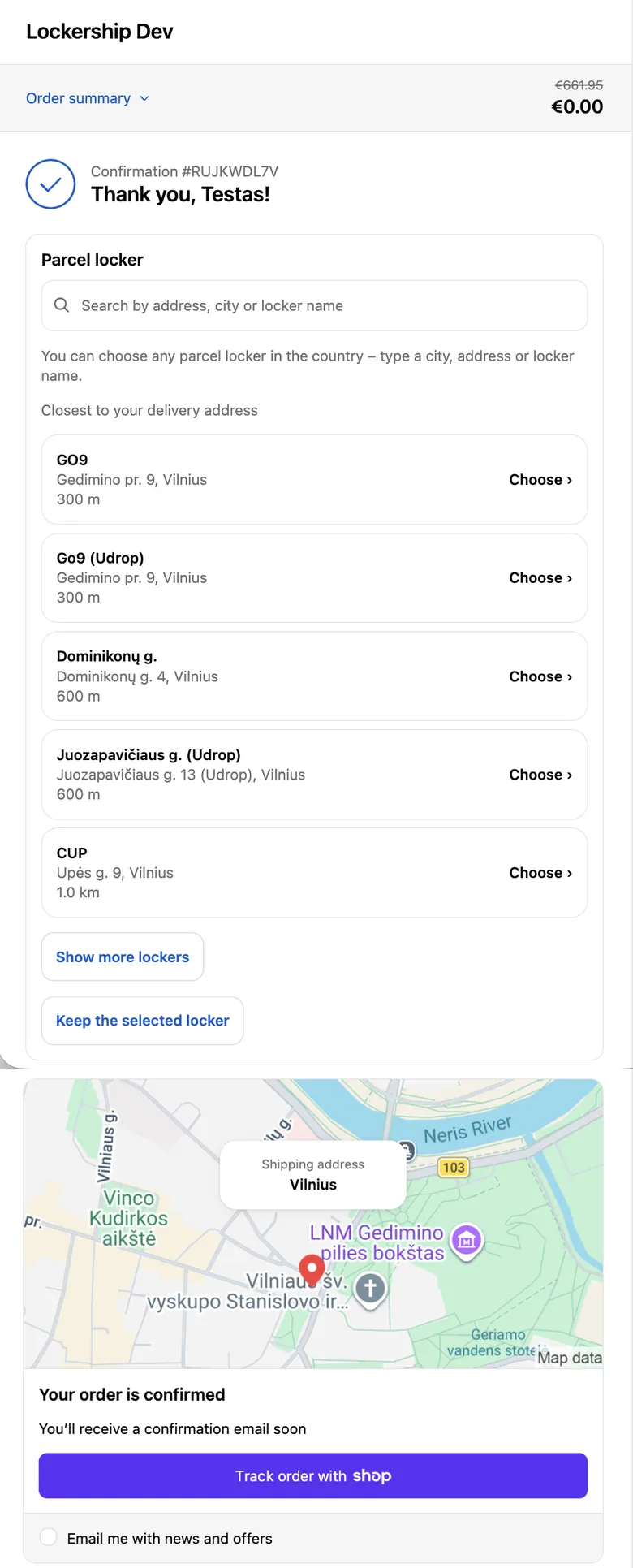
Thank-you page with the Lockership locker picker: nearest lockers with distance and a Choose button

After payment

Every Shopify plan

  • Shown on the thank-you page right after paying, and later on the order status page and in the customer account
  • Express checkout keeps working: Shop Pay, Apple Pay and Google Pay go straight to payment, and the locker is chosen right after
  • Lists the lockers nearest to the delivery address; the buyer can also search by city, street or locker name
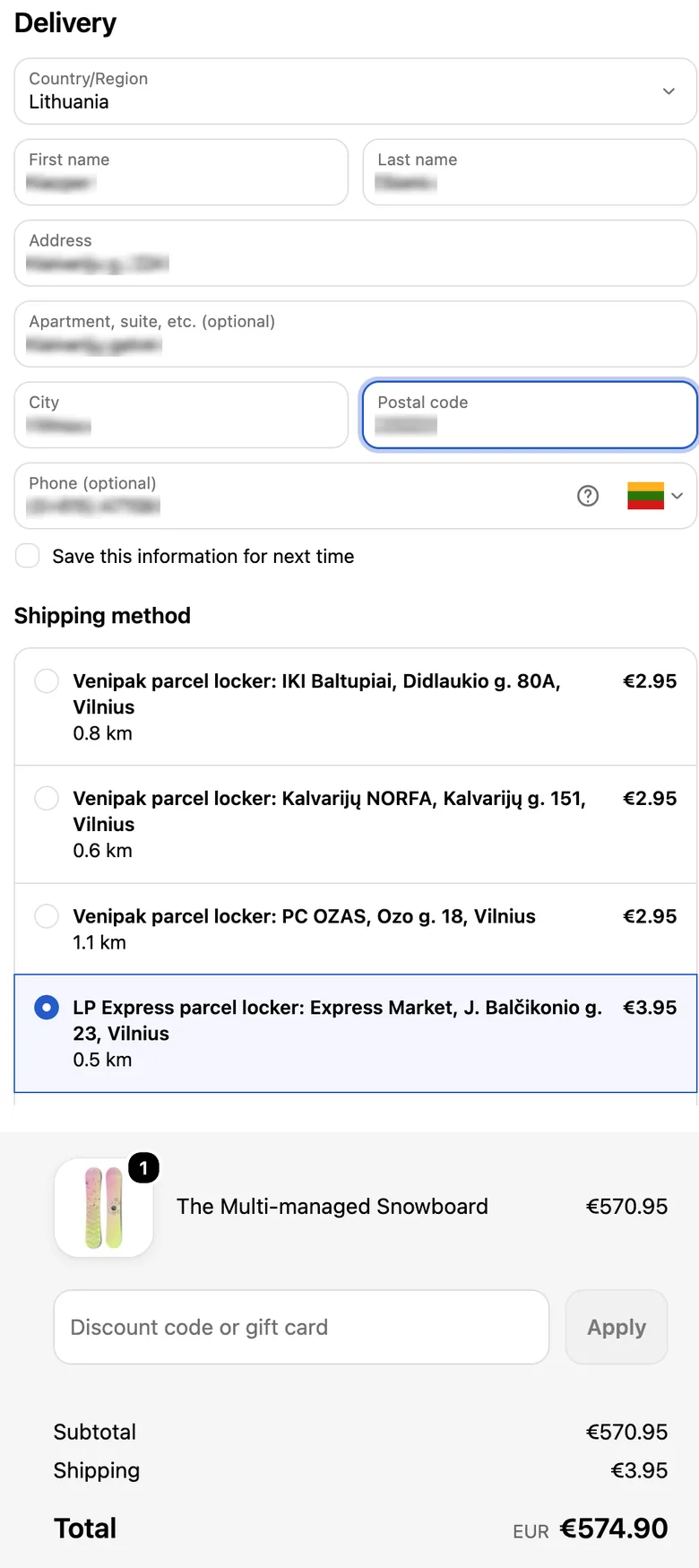
Checkout with LP Express, DPD and Venipak lockers as delivery options with distance and price

In checkout

Needs Advanced, Plus or yearly Grow

  • The buyer sees the nearest lockers with distance and price before paying
  • Your own price for each carrier and country
  • Free delivery from an amount you set, per carrier and country
  • Needs carrier-calculated shipping: included in Advanced and Plus, and in Grow billed yearly; on other plans Shopify may offer it as a paid add-on

Compare the two ways

Each takes about 3 minutes to set up. Watch the video guides

A parcel with an address label, tape and scissors
Parcels with shipping labels ready to go

Every label in one click

Tick the orders and create the labels. Each order gets the carrier and locker the buyer chose, and all labels open as one PDF.

  • 10×15 for a label printer or A4 for an office printer
  • Cash on delivery on your own carrier contract; the order is marked paid once the parcel is collected
  • Your own saved boxes, and labels without an order
  • Courier pick-up and the day’s manifest from the same list
How labels work
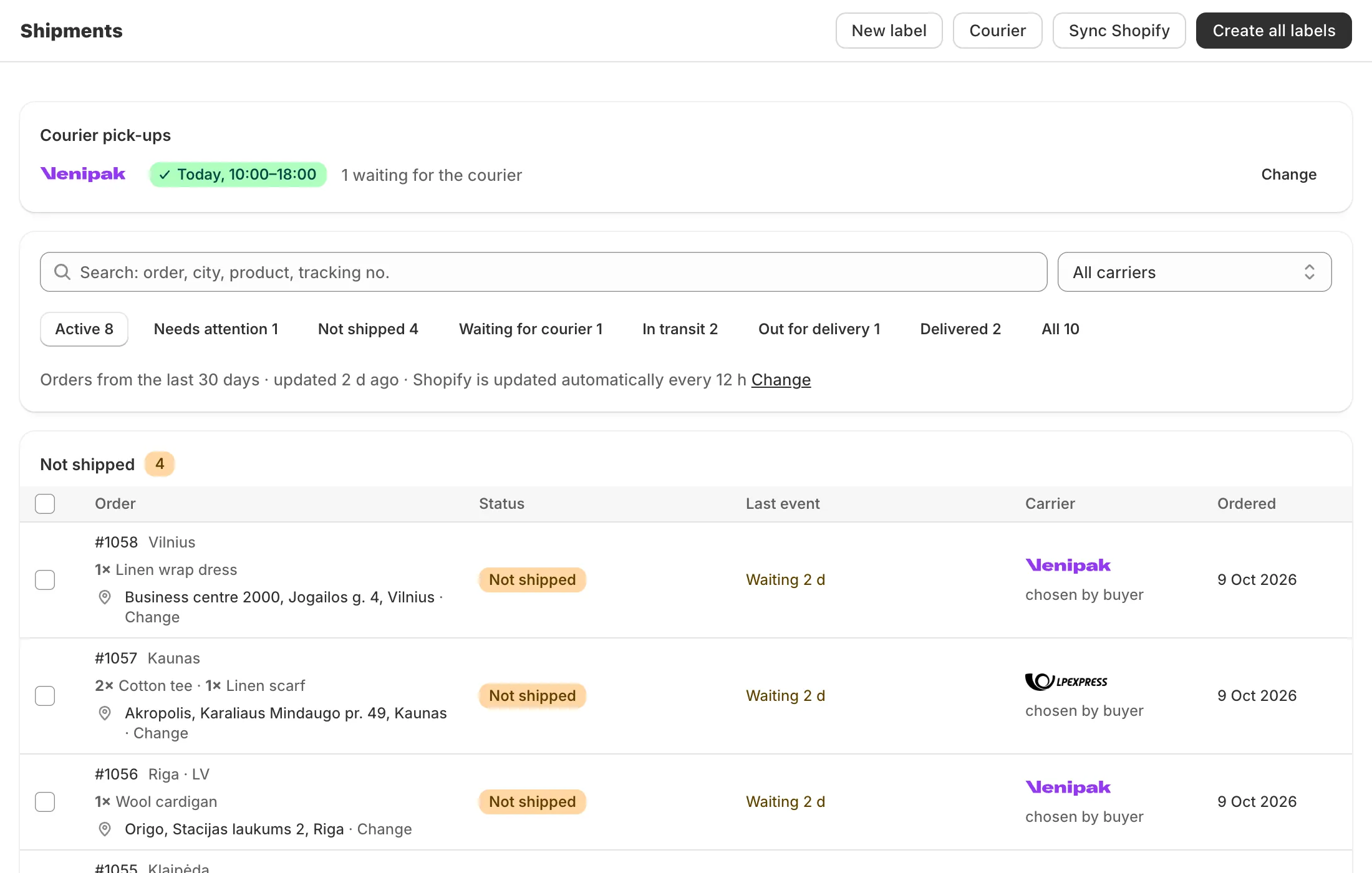
Demo with sample data – may differ slightly from the app
Lockership shipments list with each order’s status, last carrier event and carrier

Demo with sample data – may differ slightly from the app

Your buyers always know where their parcel is

Creating a label marks the order fulfilled with the tracking number. After that, the carrier’s statuses are written to the order: in transit, ready for pickup, delivered. Shopify can send its shipping update emails to the buyer, depending on your notification settings.

  • Updated every 3, 6 or 12 hours (you choose), or right away when you press Sync
  • Parcels that are stuck or sent back are listed first
A labelled parcel waiting at the door

Returns and exchanges in one place

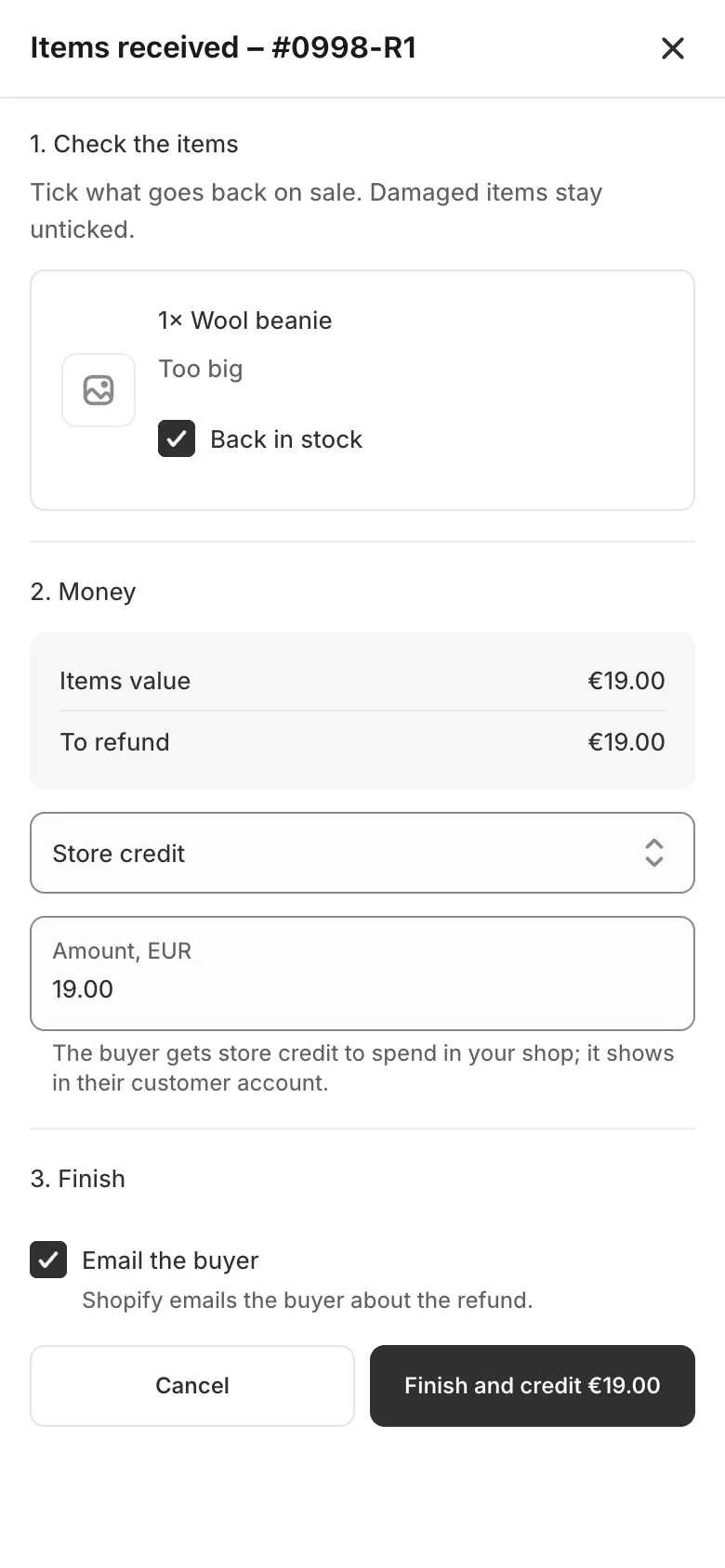
Your store gets a returns page. The buyer finds the order, picks the items and asks for a refund, store credit or another size. You approve the request, mark the items received and refund.

  • Exchanges show what is in stock; if the new item costs more, Shopify sends the buyer a payment link
  • Carrier returns go back to the sender address on the label
  • Excel, CSV and PDF exports for accounting
How returns work

Easy on your phone

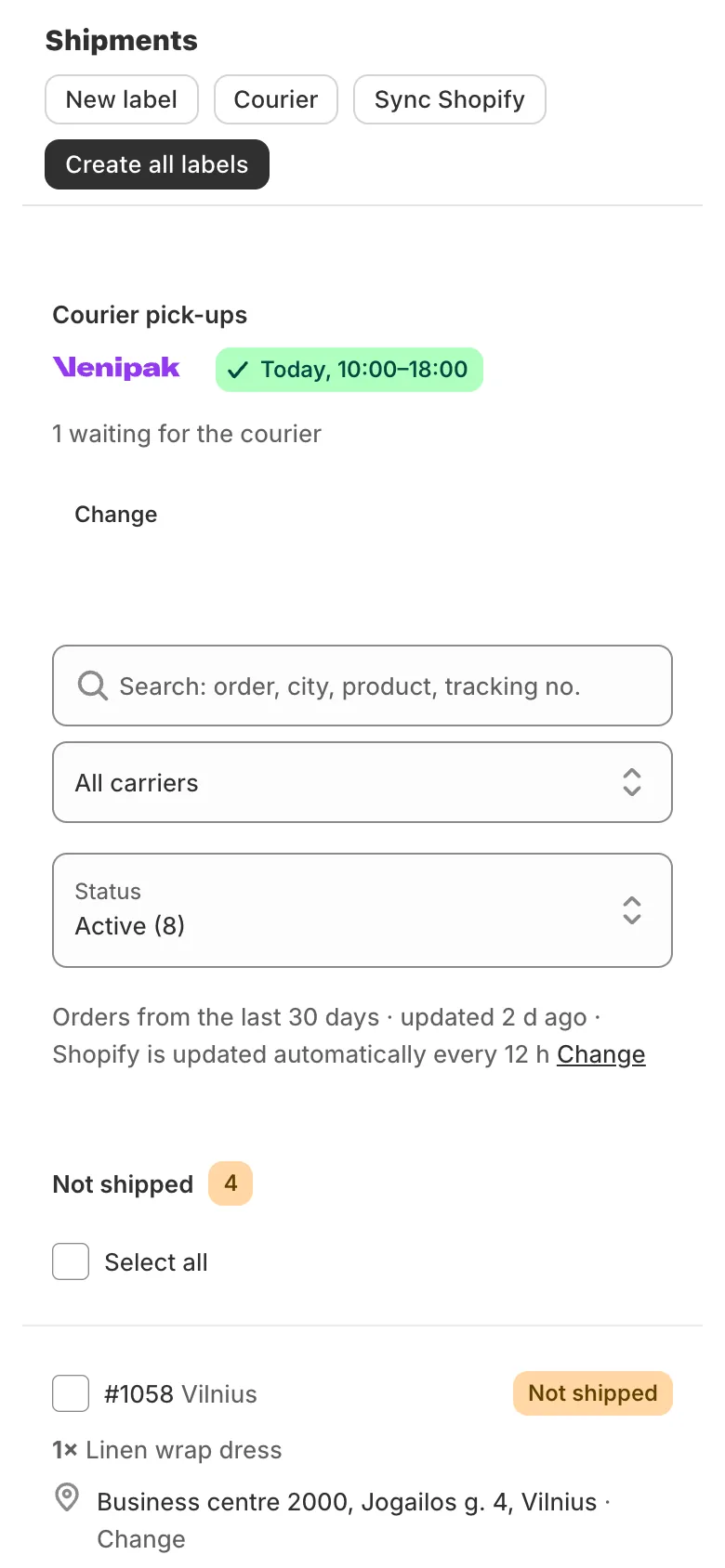
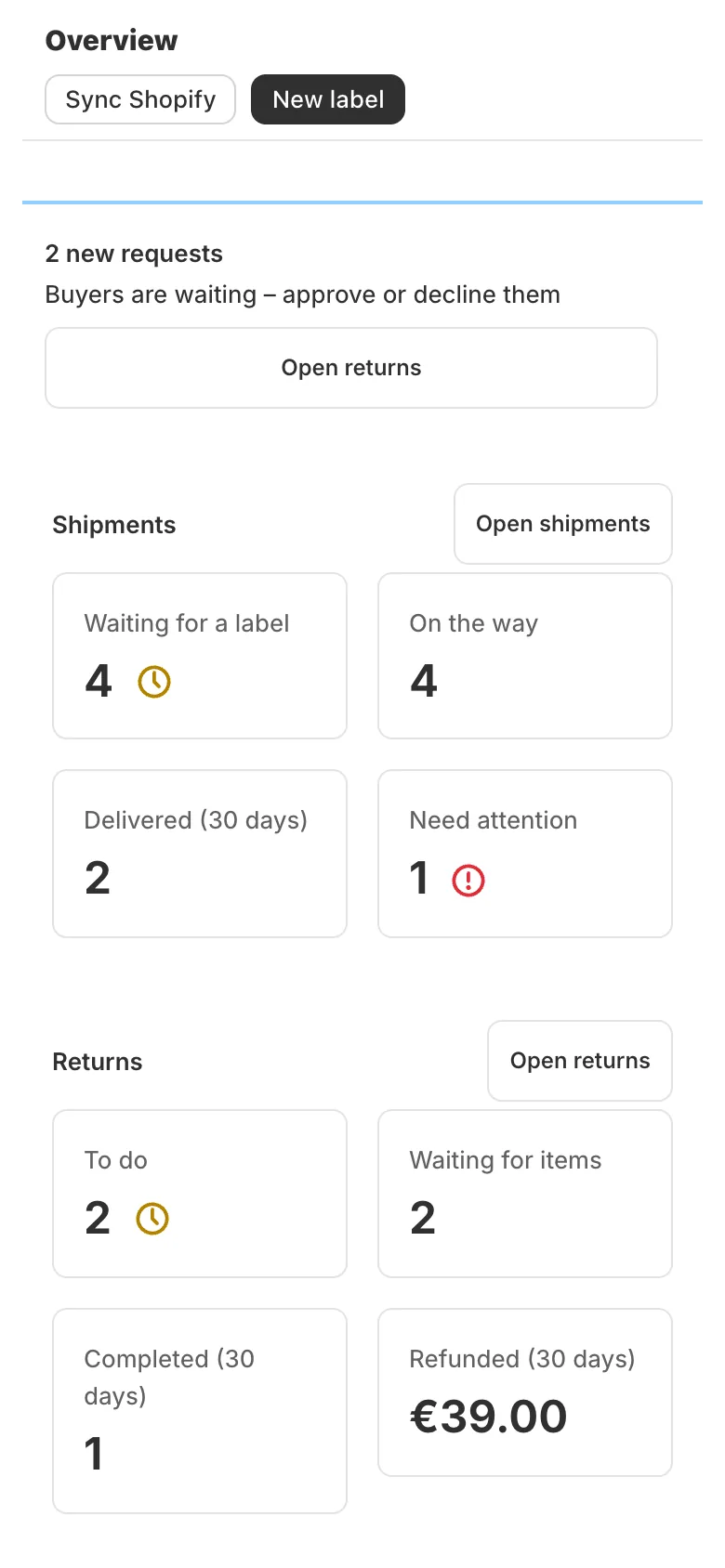
Lockership works in the Shopify mobile app too. These are the same screens on a phone: the overview, the shipments list and a return being marked as received.

Lockership overview on a phone
Overview

Demo with sample data – may differ slightly from the app

Shipments list on a phone
Shipments

Demo with sample data – may differ slightly from the app

Marking a return as received on a phone
Return received

Demo with sample data – may differ slightly from the app

Demo with sample data – may differ slightly from the app

Common questions

How long does setup take?
About 3 minutes once you have your carrier login: install the app, connect the carrier, add your shipping location and turn on the locker choice (after payment or in checkout). The video guides show the whole setup. Getting API access from your carrier can take longer – LP Express switches it on by email, and you create a DPD token yourself in a minute.
Do I need my own contract with the carriers?
Yes. Labels are made through your own LP Express, DPD or Venipak business account, so your prices and invoices stay with the carrier. You enter each login once in Settings → Carriers. See how to connect carriers.
Which Shopify plan do I need?
Any plan. Labels, tracking, returns and the locker choice after payment work on every Shopify plan. Only lockers inside checkout need carrier-calculated shipping: Advanced and Plus include it, and so does Grow when billed yearly; on other plans Shopify may offer it as a paid add-on – check in your Shopify admin. More about parcel lockers.
Can buyers change the locker later?
Yes, on the order status page (the link in their order email), until you create the label. After that the choice is locked so the parcel and the order match. You can also change it yourself from the order in Lockership. See the picker guide.
Can I keep my current shipping app while I try it?
Yes. Lockership only works on the orders you tick, so you can run it next to another app and move over one carrier at a time.
Can I ask for a new feature?
Yes. Write to support@lockership.com and describe what your store needs. If it would help other stores too, I’ll gladly add it to Lockership.

All questions

Kacper, founder of Lockership

Who builds Lockership?

Hi, I’m Kacper, the developer behind Lockership. I build and maintain the app myself. I’m a Shopify developer with 4 years of experience building themes, apps and carrier integrations.

When you email support@lockership.com, you’re talking directly to the person who builds and maintains Lockership. I aim to reply within the same business day.

More about me

Try Lockership on your store before it reaches the App Store

We are starting with a small group of Shopify stores in Lithuania, Latvia and Estonia. Leave your email, and I will help you connect your carriers.