
- 1
Check your plan
Carrier-calculated shipping is included on Advanced and Plus, and on Grow when billed yearly. On other plans Shopify may offer it as a paid add-on – check in your Shopify admin. If your plan doesn’t have it, use the picker after payment instead.
- 2
Turn it on and set prices
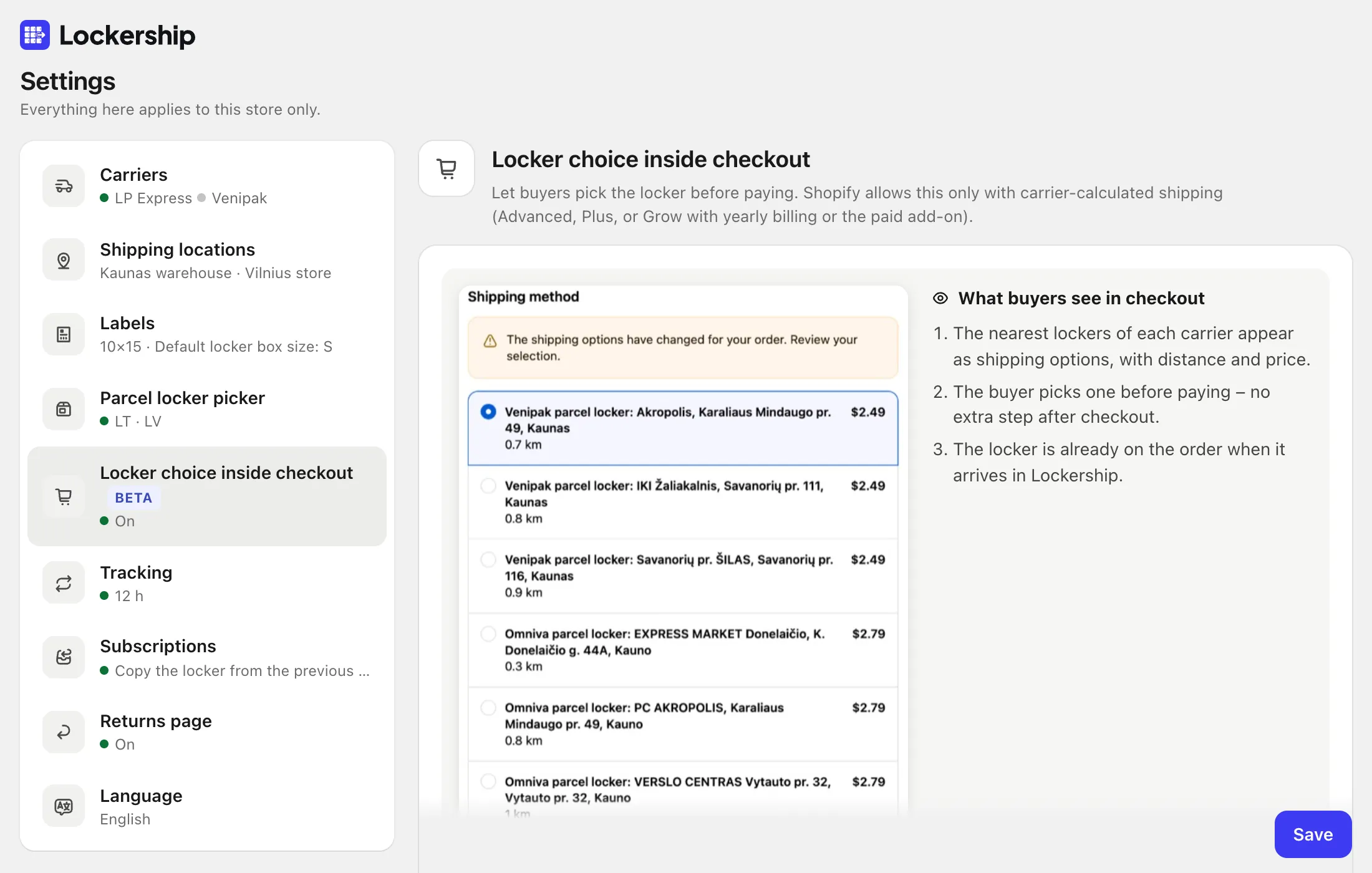
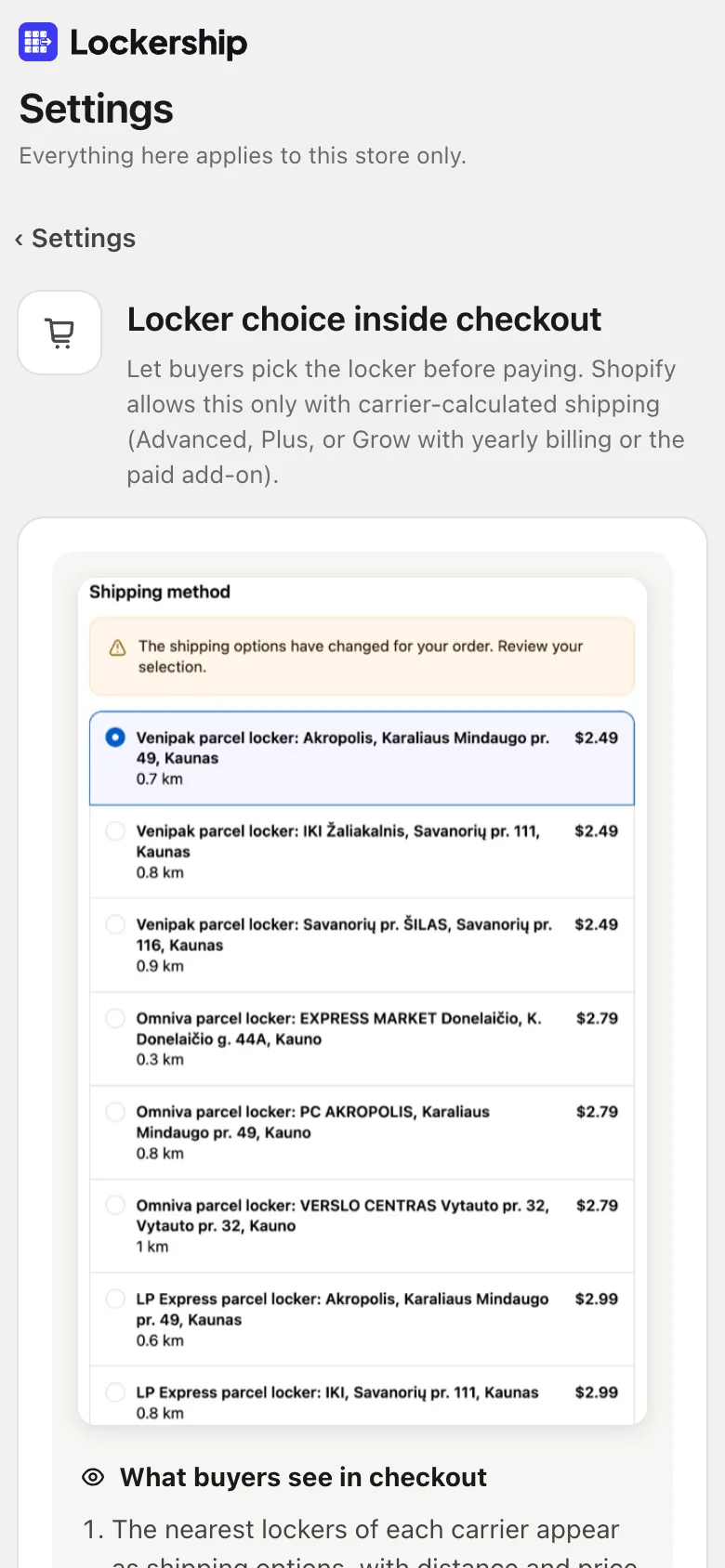
In Settings → Locker choice inside checkout, turn on “Show lockers as shipping options in checkout”. Add a price for each carrier and country, and an amount from which delivery is free. Choose how many nearest lockers to show.
- 3
Remove your own locker rates
In Shopify’s shipping settings, remove your manual “parcel locker” rates for the same zones, so buyers don’t see lockers twice.
- 4
Check checkout
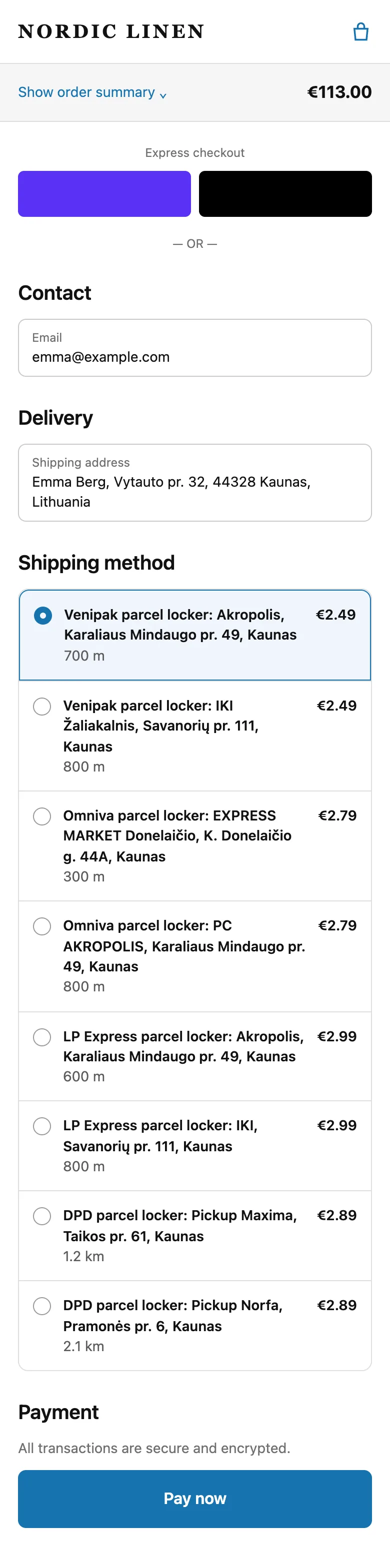
Start a checkout with a Baltic address. The nearest lockers appear with distance and your price, and the chosen locker is already on the order in Lockership.
Try Lockership on your store before it reaches the App Store
We are starting with a small group of Shopify stores in Lithuania, Latvia and Estonia. Leave your email, and I will help you connect your carriers.